


Run Custom Harvey Agents Directly in Word
Your team's custom agents, the same agents you built around your own positions, formats, and review approach, now run directly in the Harvey for Word Add-in.
Today, we're introducing Custom Agents for Word: the same custom agents your team has built in Agent Builder, are now available directly in the Harvey for Word Add-in. Tasks such as NDA review, redlining, document summarization, and post-review memos use your review standards, preferred positions, review approach, and the output format directly in your open Word document.
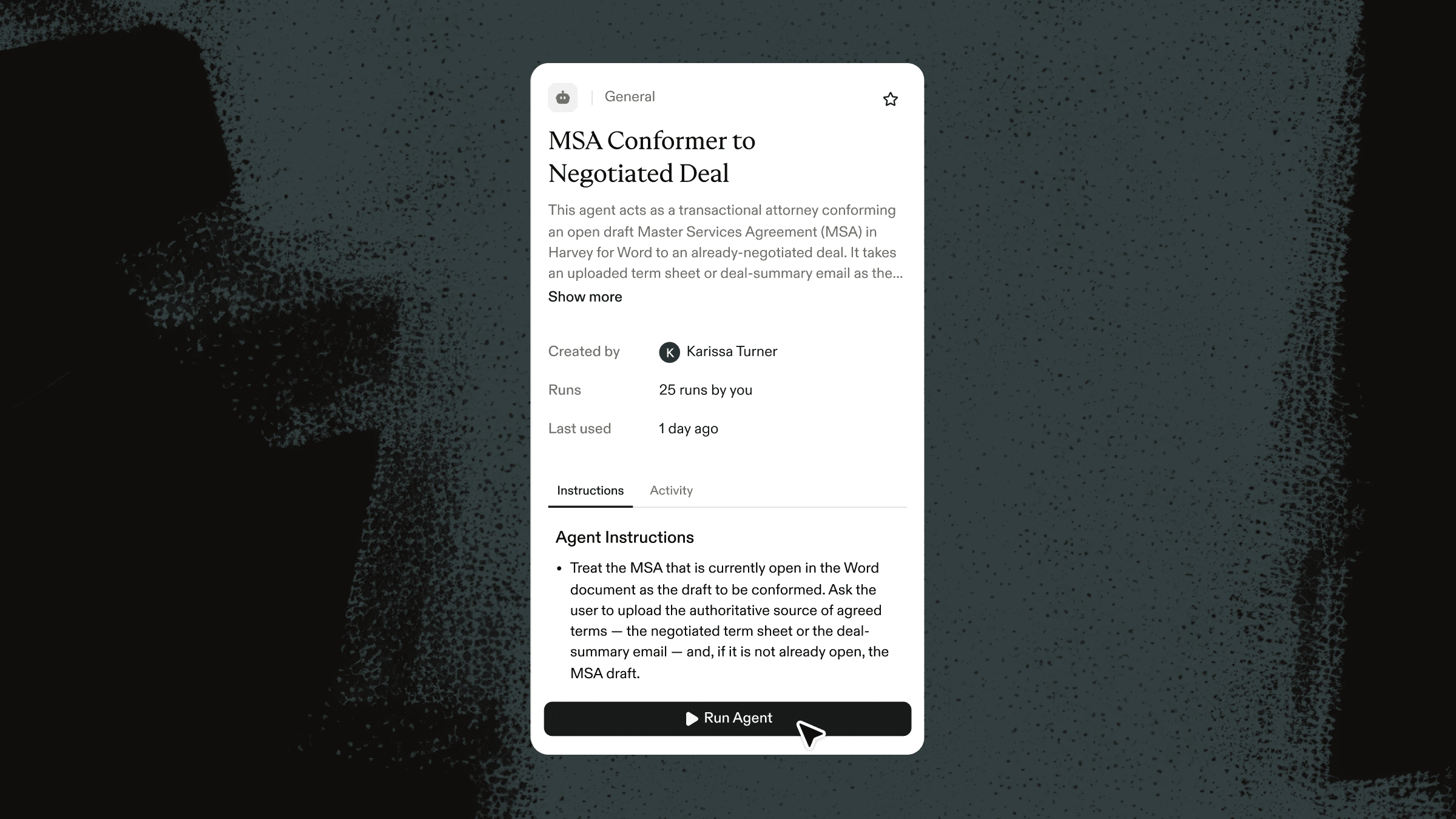
Run Custom Agents Where you Draft
In Word, you can browse all your team’s custom agents in the Agents tab and pick the right one, or @-mention the agent you want directly in your query. The agent runs against the Word document already open, using its content as context. You can pull in any other document you need from Vault, and if the agent needs more information mid-run, it asks you directly in the thread instead of requiring every detail up front.
For example, for an initial master services agreement (MSA) review, you can open a counterparty's draft MSA in Word and run your team's own first-pass MSA review agent, the custom agent your team built to check the draft against its preferred positions. It flags deviations in liability caps, indemnification, termination, and data-protection terms, then returns the review in your team's format and house style. You get the same standardized first-pass review your team would perform by hand, now running on the open document in Word and reflecting how your team reviews MSAs.

Apply Your Judgment Before it’s Final
The agent returns a list of suggestions, each one naming the specific change it proposes — such as updating a renewal structure or conforming a fee to a negotiated term — and showing a preview before you apply it. You can use your judgment to apply a suggestion, apply it with a comment, or discard it. You can also apply all suggestions at once. When you apply a suggestion, Harvey inserts the edit as a tracked change, so you can accept or reject it in Word. If you need another pass, you can reopen the same thread later, so a review spanning multiple sessions doesn't start over.

Agents That Stay in Sync Across Harvey
There's no separate Word version of an agent to keep current. Any updates made to your agent’s instructions in the web app carry over the next time you run the agent in Word, applying the same review judgment and house positions in Word that your organization relies on elsewhere. Recently used agents also appear alongside your other Word workflows, including Playbooks, so you can find the right one again when you need it.

One Home for Every Word Tool
The Harvey for Word Add-in now organizes every Word tool into three tabs: Threads, Agents, and Library. Threads holds your chat sessions with Harvey, each one preserving its query history and document context. The Agents tab is where you can browse and launch custom agents. And the Library tab holds Harvey's built-in Word tools — Playbooks, Redact, Translate, Proofread, Convert to Template, and Fill Template — so your threads, the agents you built, and the tools you reach for all sit in one place.
Getting Started
Custom Agents for Word is now available*. To use Custom Agents in Word, you need the Harvey for Word Add-in, which you can install through Microsoft AppSource or through your IT team. Visit the Harvey Help Center for detailed setup instructions.
*This release supports custom agents created via the Agent Builder UI. Custom workflows will not be supported in the Harvey for Word Add-in yet.


