
Build Review Tables Faster and Keep Them Current
Agents can create Review Tables from firm templates, teams can test prompts on sample documents and combine multiple Vaults in one review, and Sync can add new documents while preserving verified answers.
Legal reviews often mean asking the same questions across thousands of documents. Review Tables help teams do that systematically, with each answer linked to its supporting passage. But the work changes as documents arrive, questions sharpen, and colleagues need to know what has already been checked.
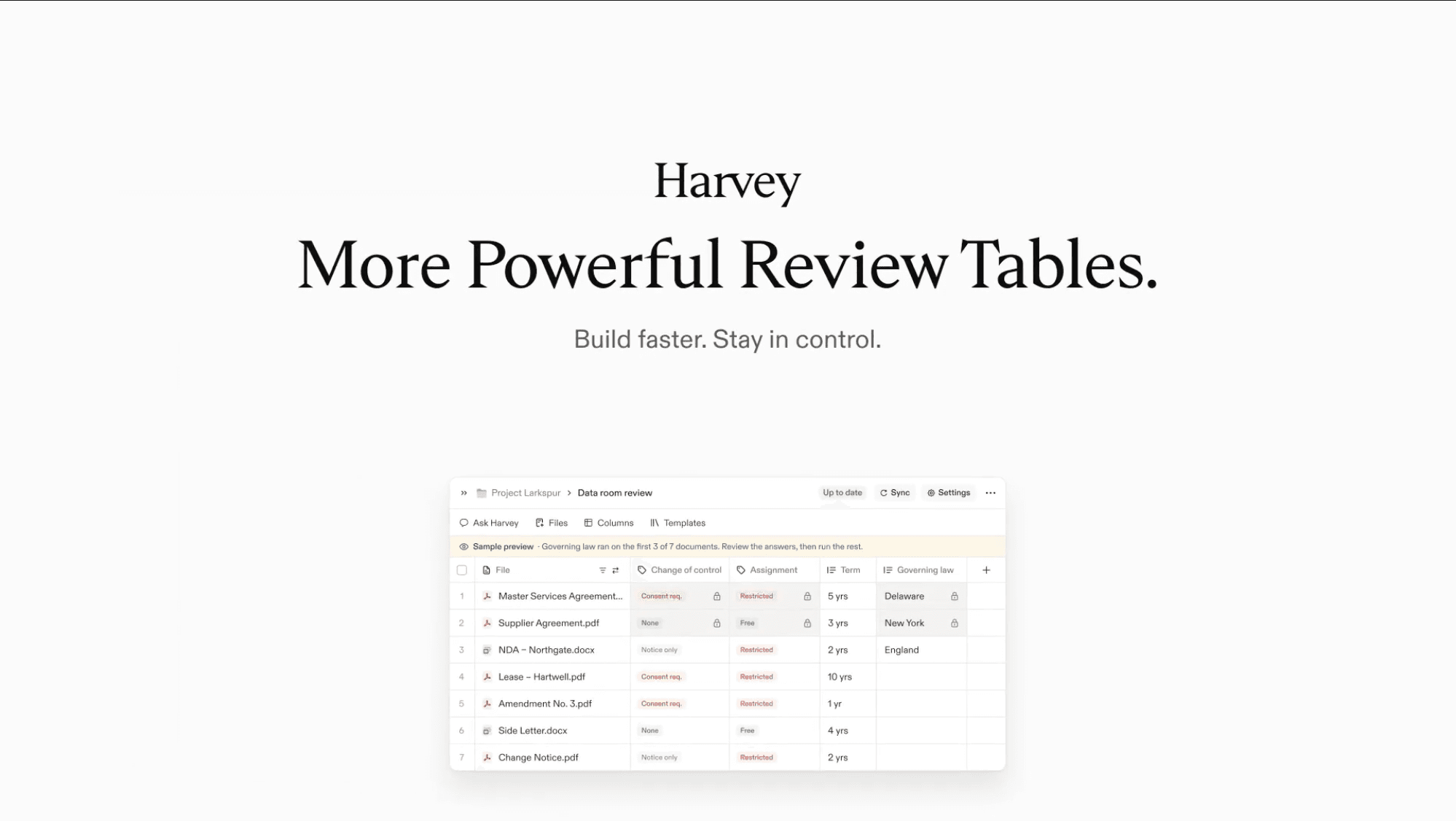
Harvey is expanding Review Tables with new ways to build and update that work: agents can create tables from firm templates, and teams can combine multiple Vaults in one table, test questions on ten documents before a full run, and sync new documents while preserving verified or locked answers.
Set up, Test, and Update in One Place
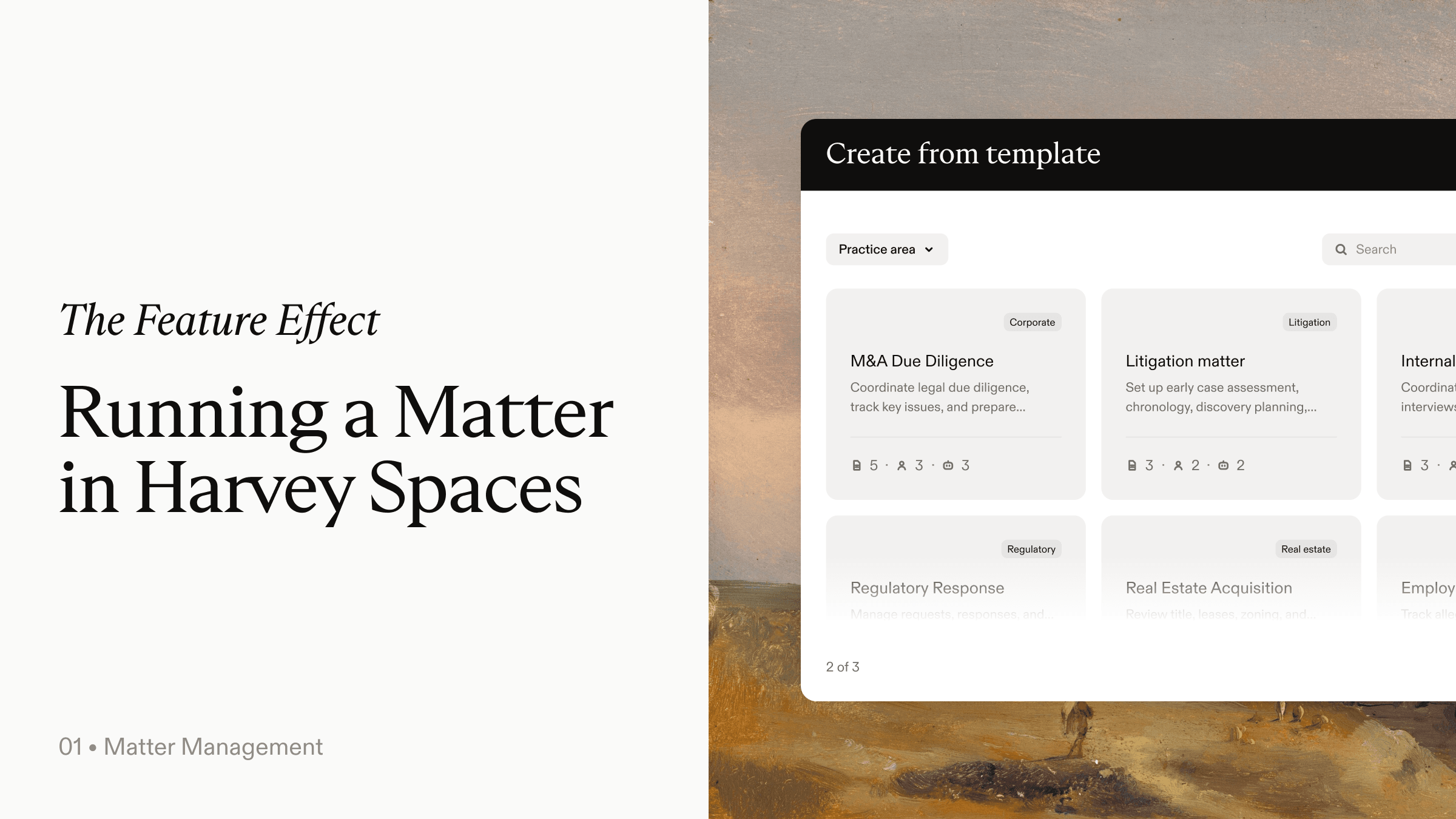
Setting up a review table takes time, especially when teams need to refine their questions. Within a Space, an agent can use your firm’s templates to create tables with questions your team already relies on, and when a matter calls for it, create several tables at once. A table can also draw from more than one source, so you can pull together multiple vaults and bring your data room into a single review.
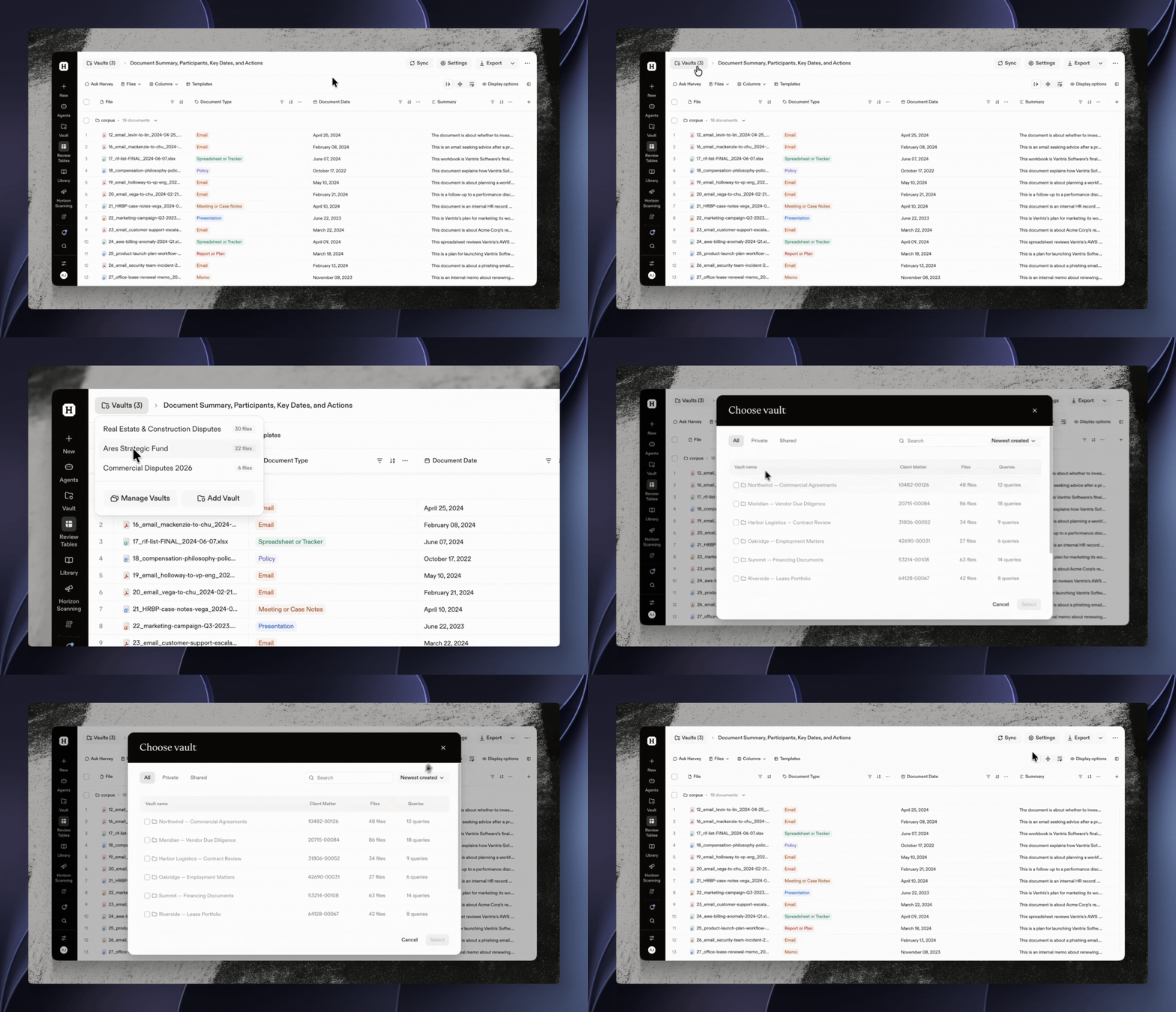
Faster setup only matters if the answers hold up. To help you iterate quickly and get to the right output, you can now test your prompt on ten documents and refine it over that sample set before it runs on all your documents. These efficiencies matter when you’re analyzing thousands of documents at once — as your answers go out of date, Harvey flags them to you.
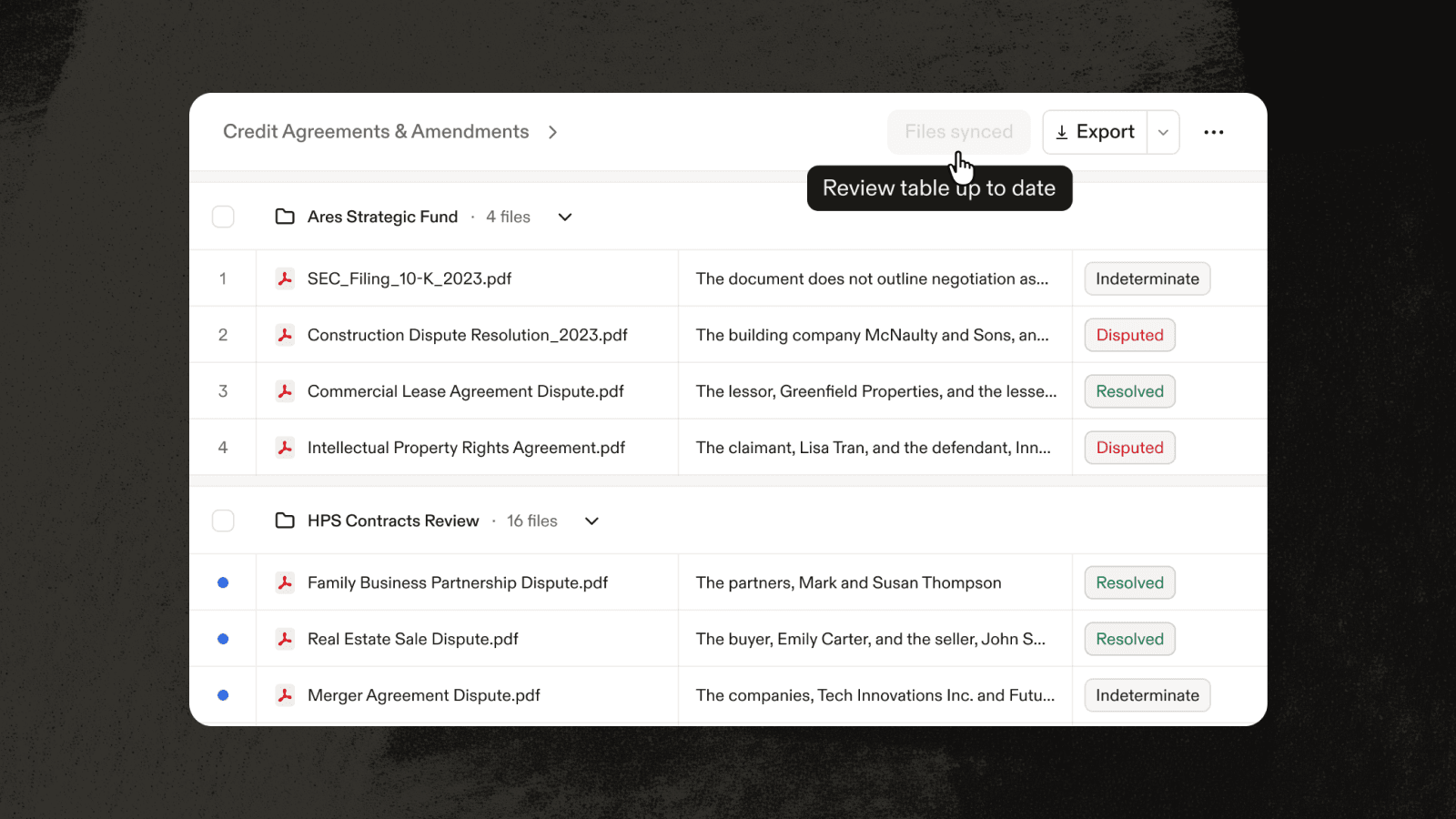
Once you’ve built your table, it keeps up with the matter. Connect it to the Vault or folders where the table’s documents live, and Harvey flags when new documents have arrived, marking your table out-of-date. Click Sync to add them; Harvey processes only rows for the new documents, while answers your team has verified or locked remain unchanged. Hover over the sync button to see when your table was last synced.
Whoever picks up the work next — whether it’s a colleague drafting from the findings, a partner reviewing before sign-off or an agent taking the next step — starts from the same verified table instead of reanalyzing the documents from scratch.
Now, Review Tables grow with each round of review: diligence findings as a data room expands, a litigation chronology as productions arrive, or an in-house tracker that checks each new agreement against the same terms.
Coming Next: Tables for a new type of analysis
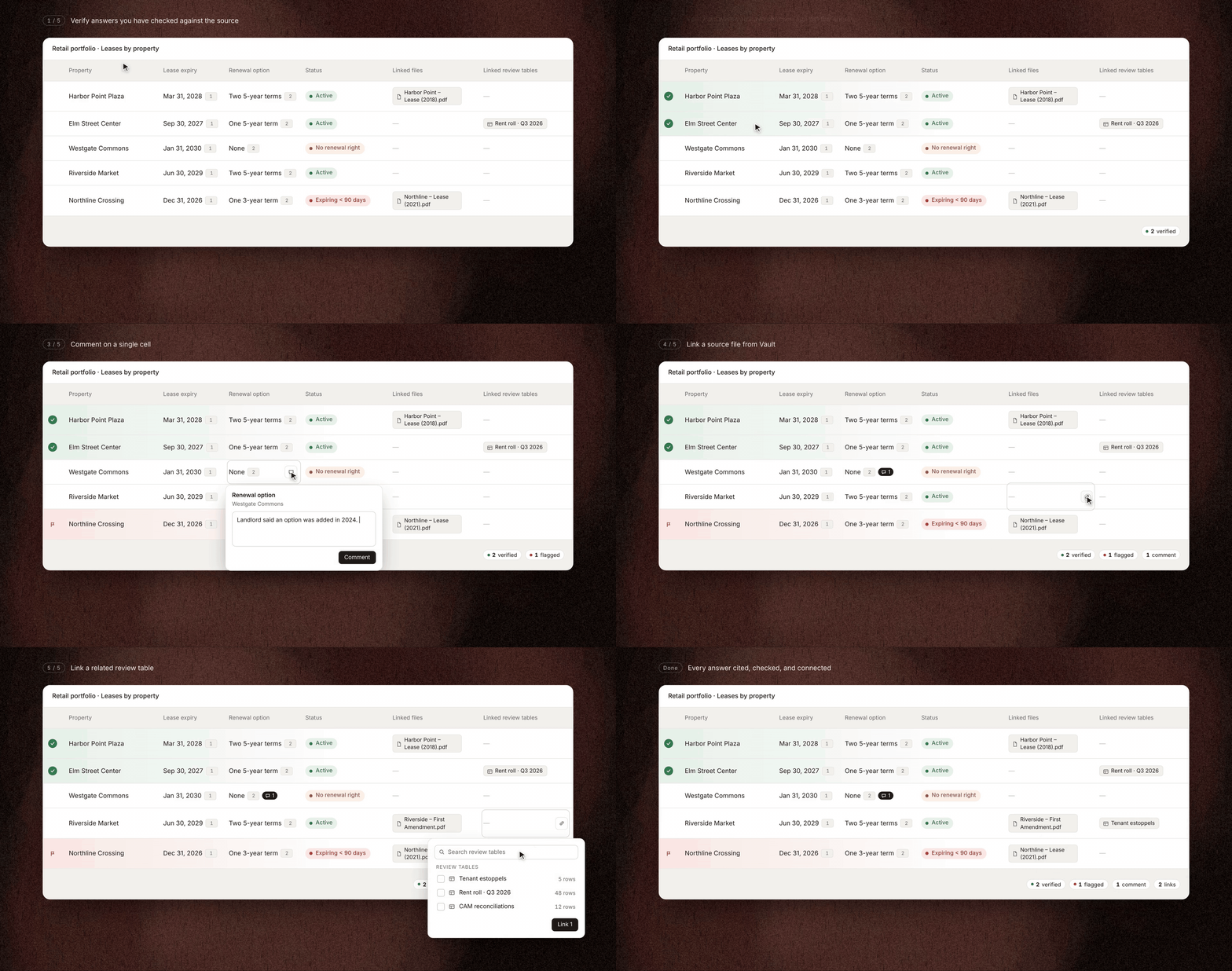
Soon you will be able to organize rows around how your team tracks work — by entity, deal, or source — instead of using one row per document. Track each claim, counterparty, or lease property, with the same collaborative document review interface you love from review table.
If you are interested in getting access, join the waitlist.
Sync is available now in Harvey. Other features are in early access. Ask your Harvey team for access to these features and check out the roadmap for current status.