
A Living Record for All Work
Structured, cited data across thousands of documents, built by agents and verified by your team.
Request a Demo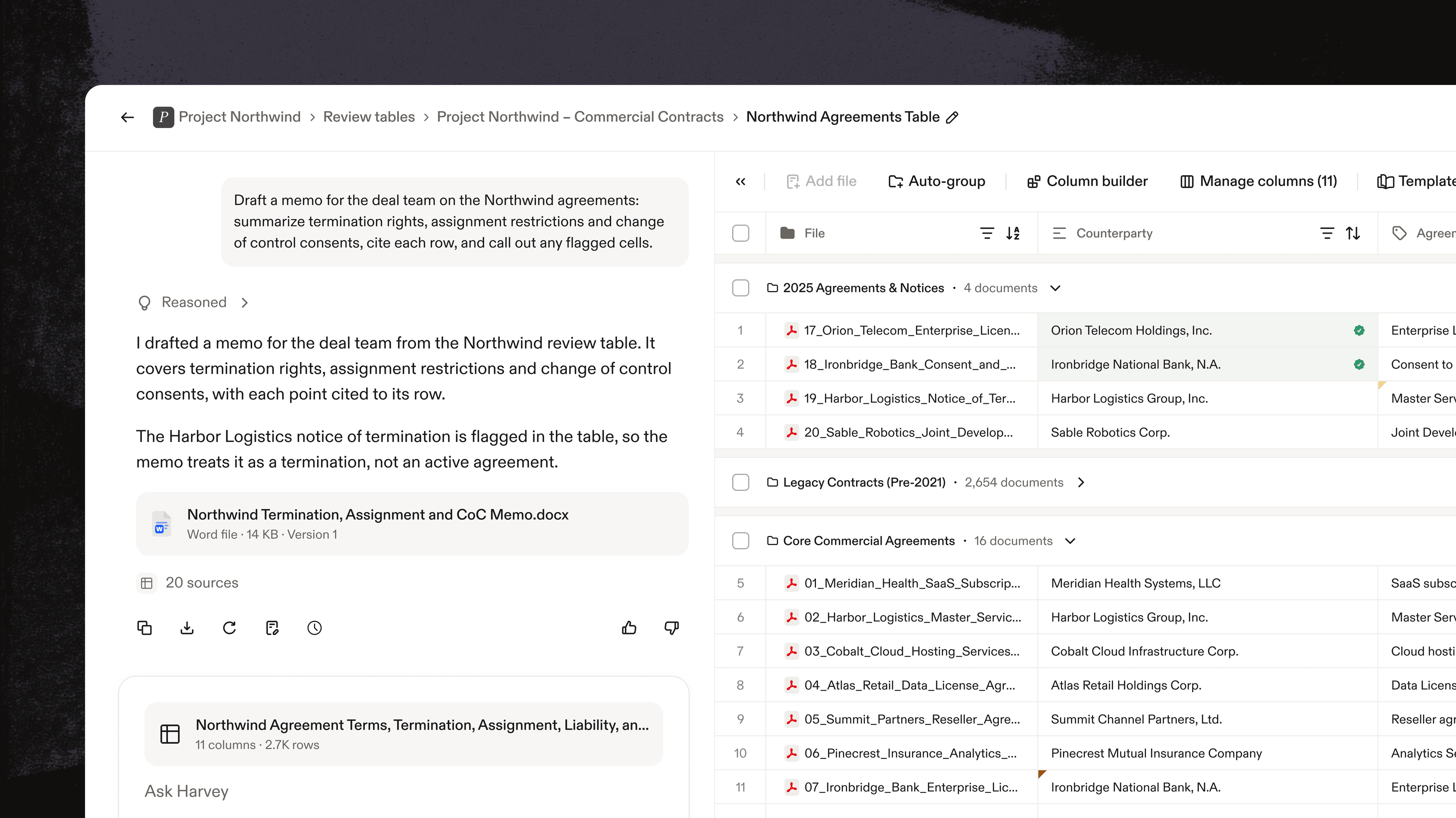
Work that carries forward. Verified data and documents stay in one table, so each round of review adds to the last.
Built by agents, reviewed by you
Start any table from your team’s templates, with agents doing the setup and you deciding what runs.

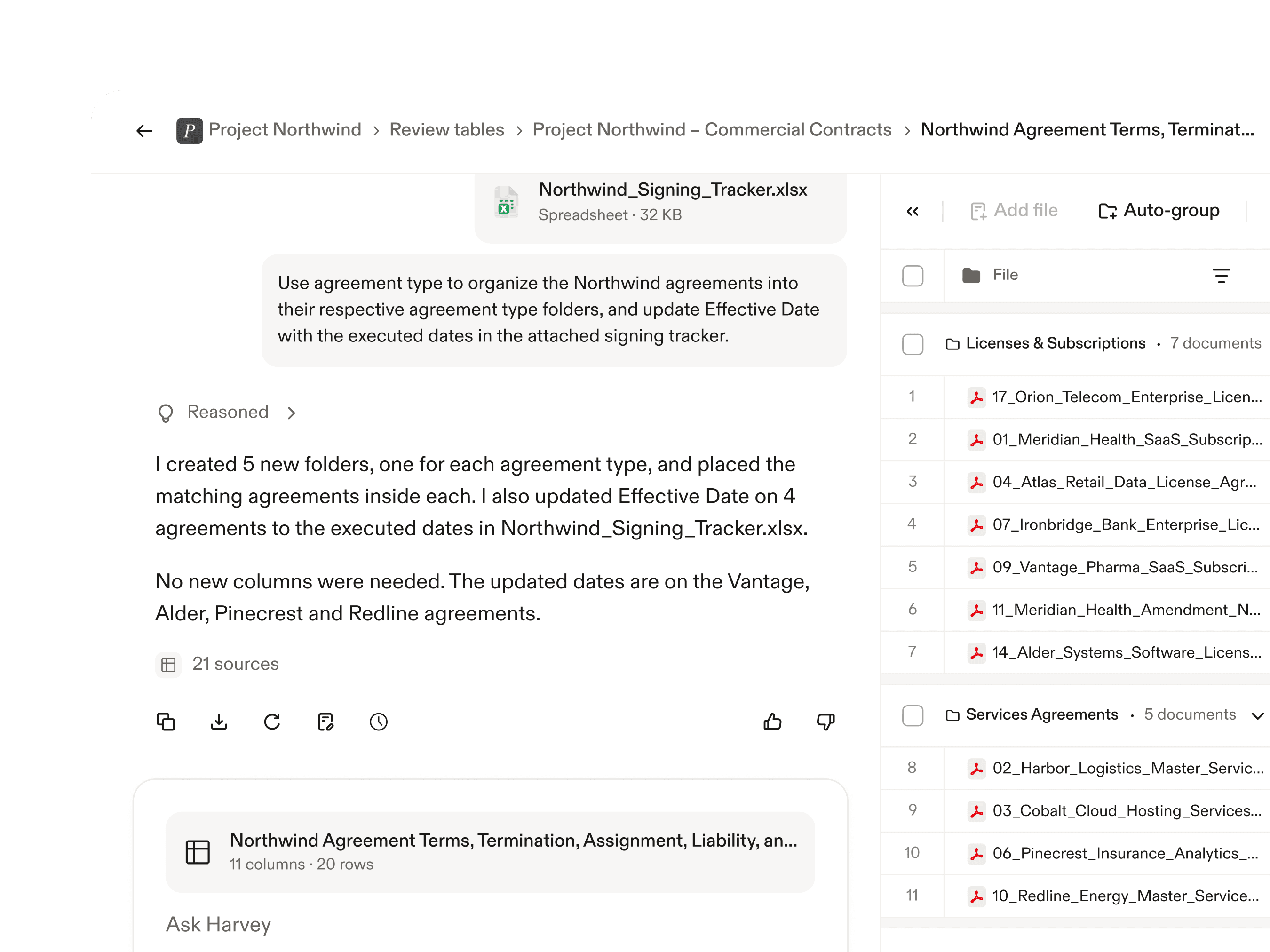
Agents build from your templates
Agents set up a table for each document type from your saved templates, and you confirm before anything runs.
Share with your team
Save any table as a template so everyone starts from the same vetted columns.
Verify as you go
Mark findings verified, flag what needs a second look, and lock cells so the answers your team has checked don’t change.
Current and complete
Link a table to the documents and sources behind a matter or project, so it grows with the work instead of going stale.

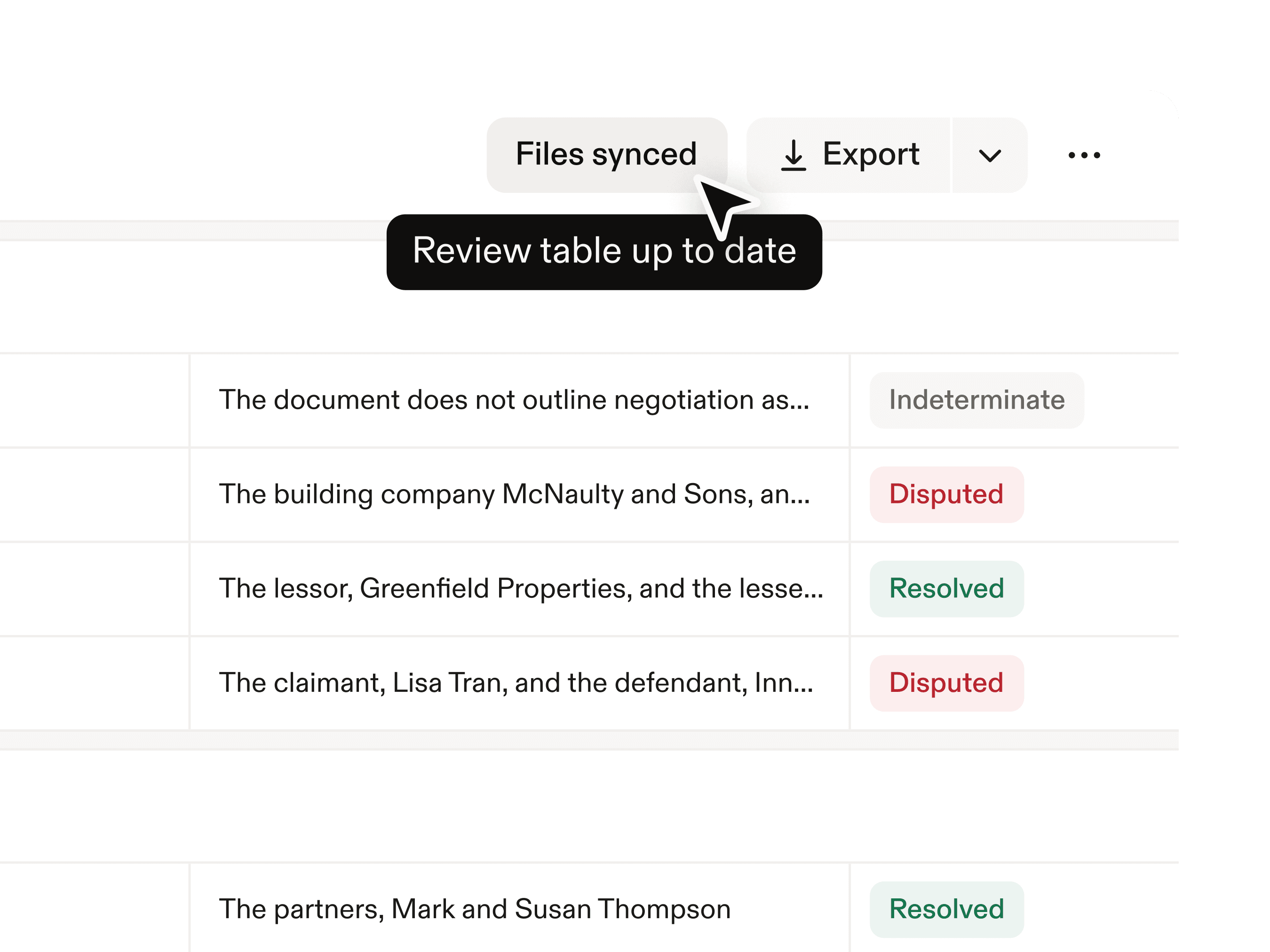
Sync Review Tables
When new files arrive, the table shows it’s out of date, and one click adds them and runs your columns on the new rows only.
Agents pull from every source
Harvey brings documents from several vaults into one table and imports metadata from your other work sources.
A shared starting point
Colleagues, reviewers, and agents all pick up from the same verified table to produce the next insight, memo, or dashboard.
Connected to your documents
When Review Tables run on Vault, every table is tied to permissioned files and works across the platform.

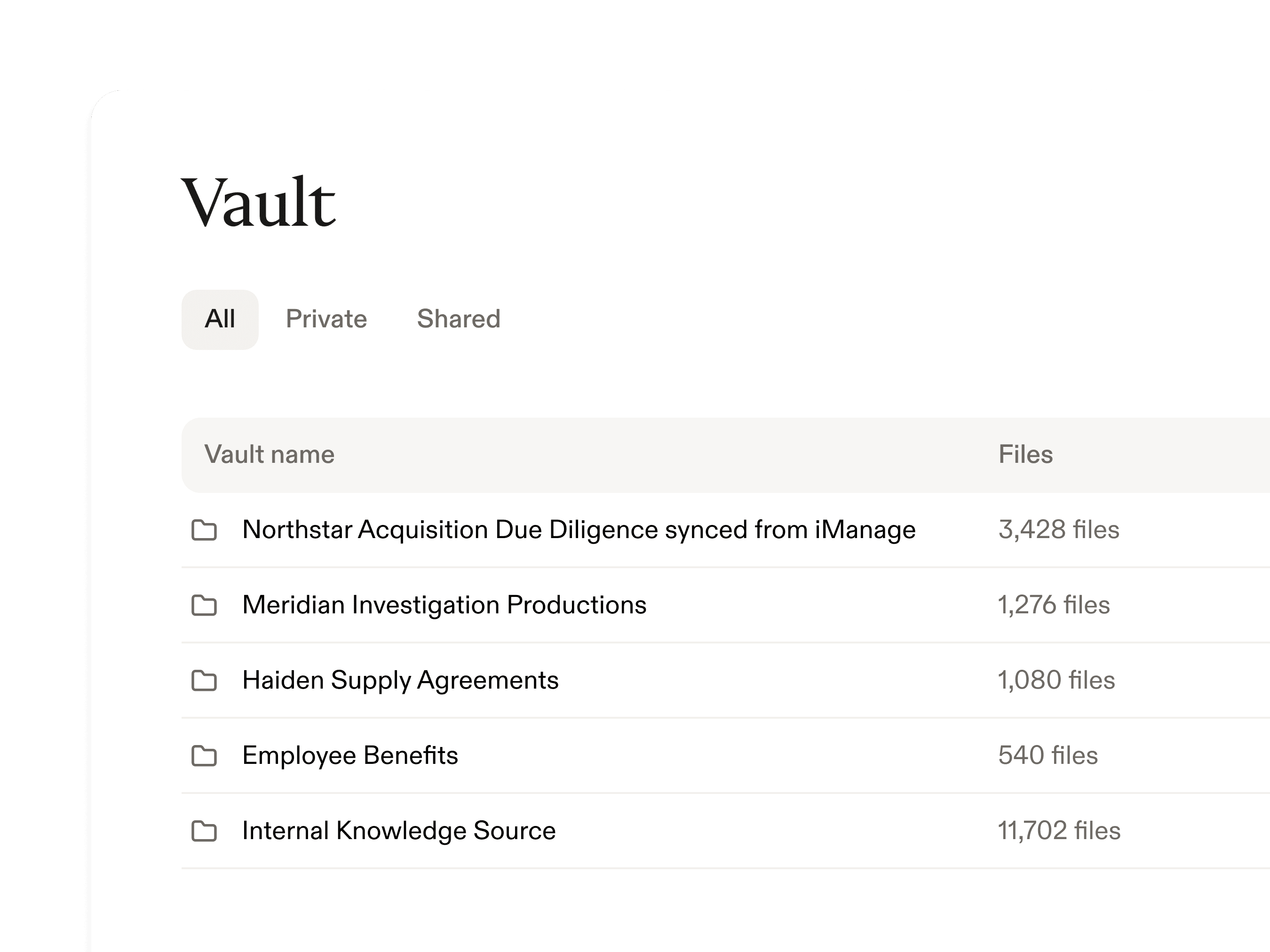
Vaults
Securely store and organize up to 100,000 documents per vault, including files, email correspondence, and queries.
DMS integrations
Bring in materials from iManage, SharePoint, and more. When they land in a synced folder, your table shows they’re ready to add.
Connected across Harvey
Add a table to a custom agent or ask about it in a thread, so the next piece of work starts from findings your team already verified.
Review Tables by the numbers
96%
key-term extraction accuracy
10,000
files analyzed at a time with Review Tables
95%
reduction in time needed to review a large batch of trading agreements at Bridgewater


I was able to generate tables comparing key elements across multiple documents, flag potential issues of concern and draft complex clauses that were beneficial to our client. I estimate :Harvey: saved me 10 hours just this week.
Todd Strang
Corporate Commercial Transactions, Partner (Technology & Process) at KMSC Law, KMSC
How teams use Review Tables
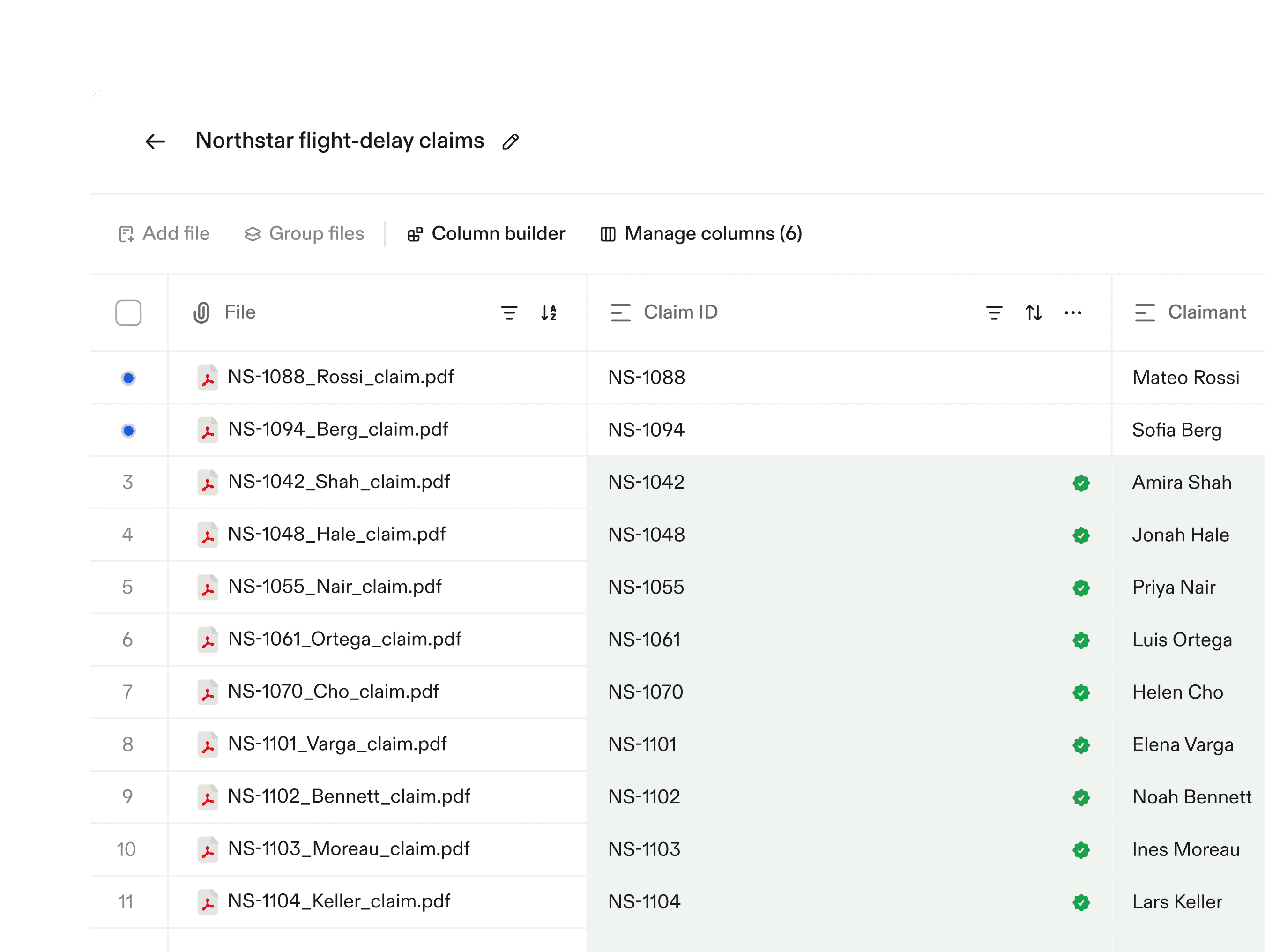
Mass-claims portfolio management
View your claims in one place, standardizing comparison for each claim’s incident, claimed amount, and likely outcome, with you proposing the next action.

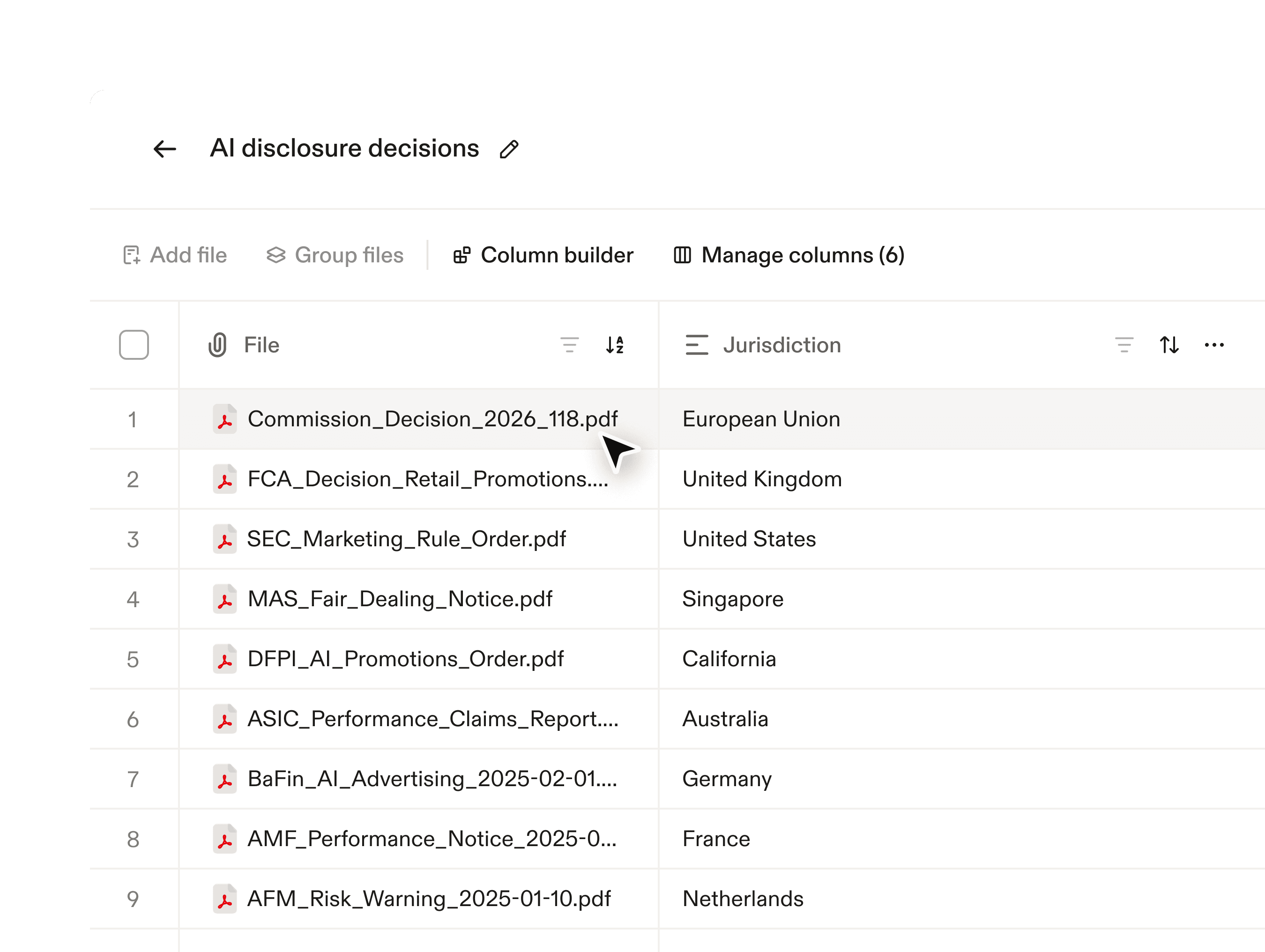
Case-law or regulatory-decision trackers
Stay up to date on regulatory decisions, extracting fields customized towards what most implicates your team.
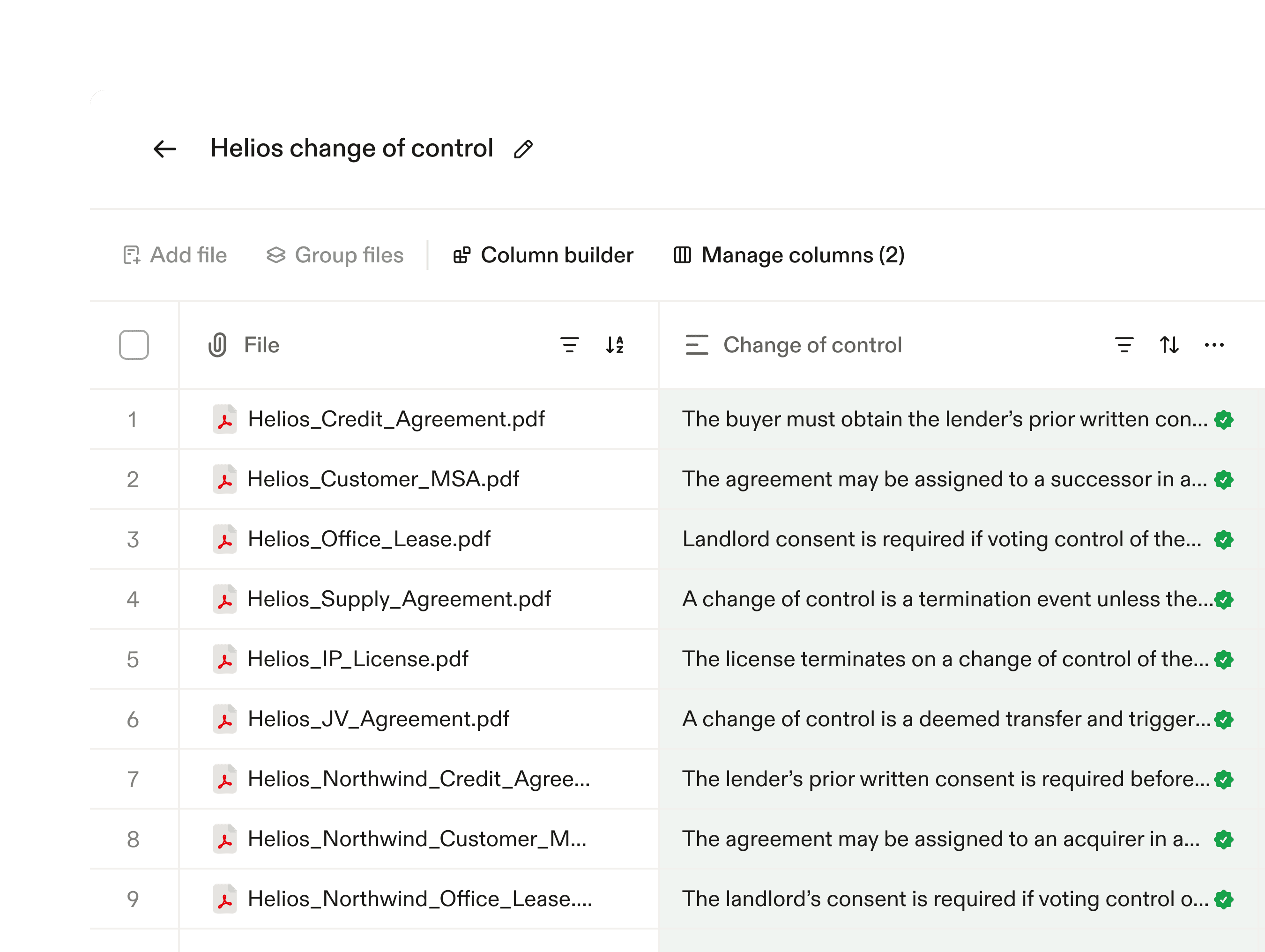
Transactional due diligence
Build a table for every document type in the data room, for example, contracts. Analyze change of control provisions, and sync in new documents as the seller adds them.
Compliance review
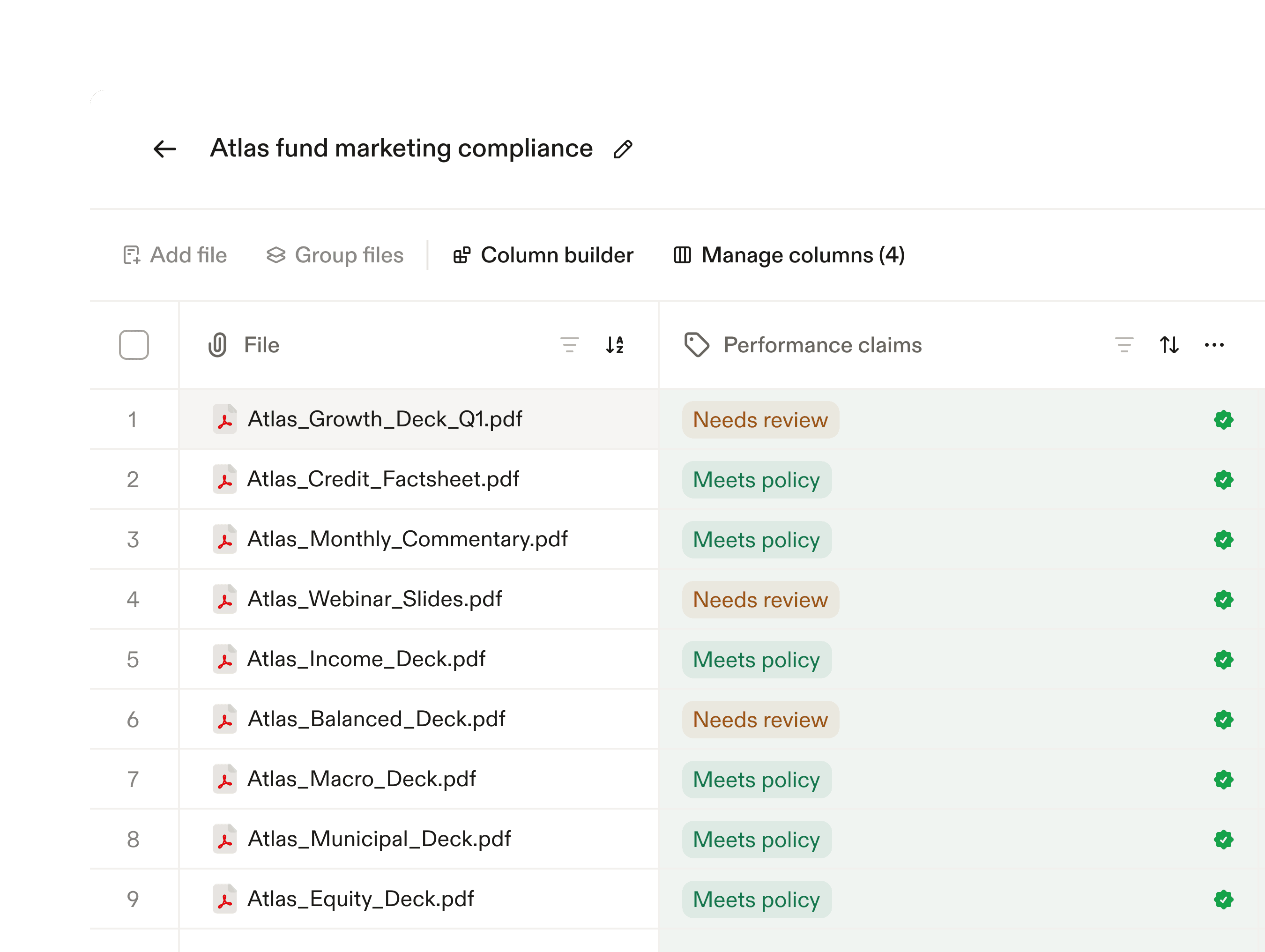
Review every investor marketing deck, fund factsheet, or product communication relative to your firm’s guidelines. Then transform that into precedent for the next marketing asset.
Closing checklistComing soon
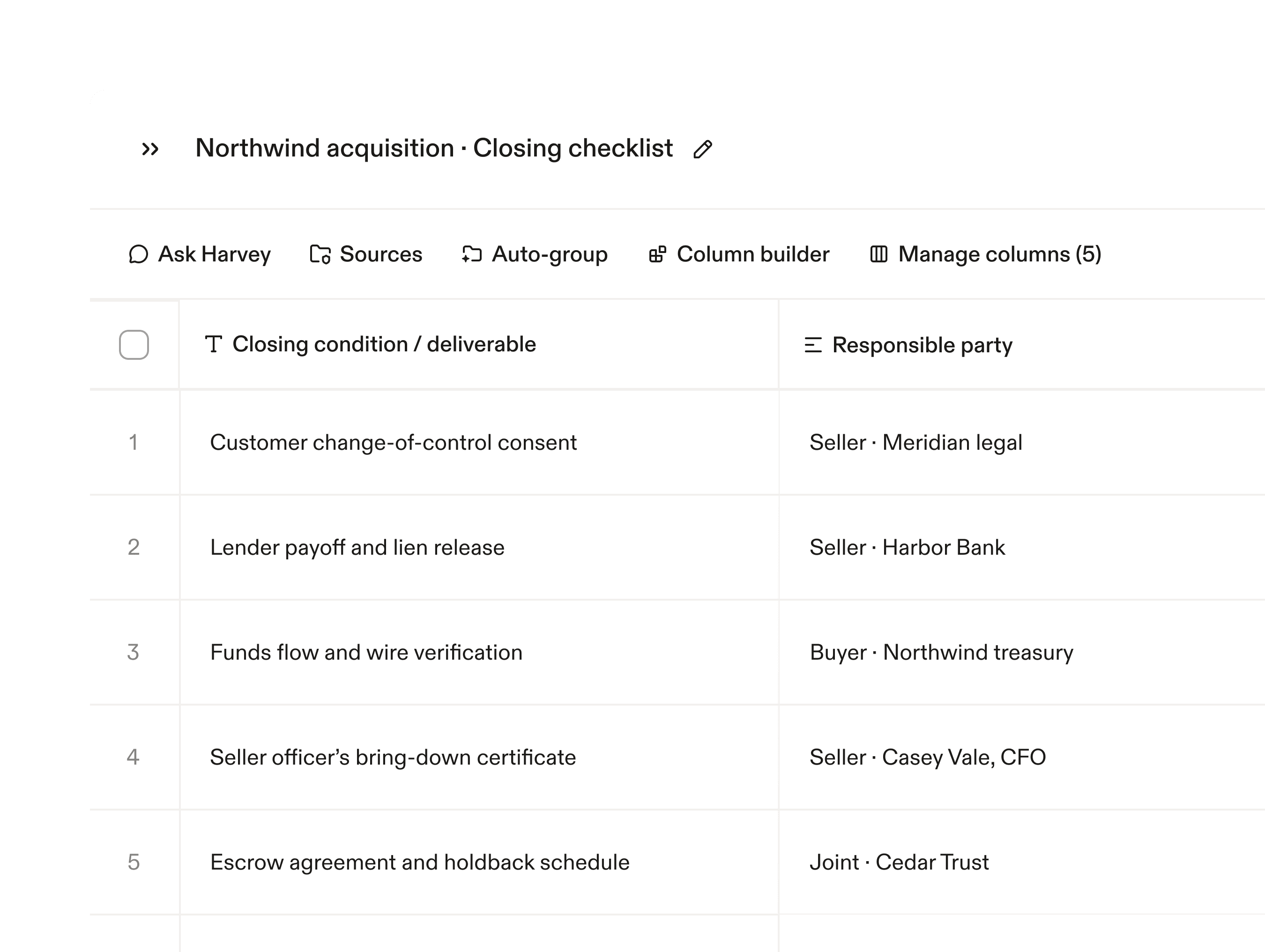
Know what’s still outstanding before closing. Every condition and deliverable is tracked by party in one table, with the source document behind each answer.
Lease abstractionComing soon
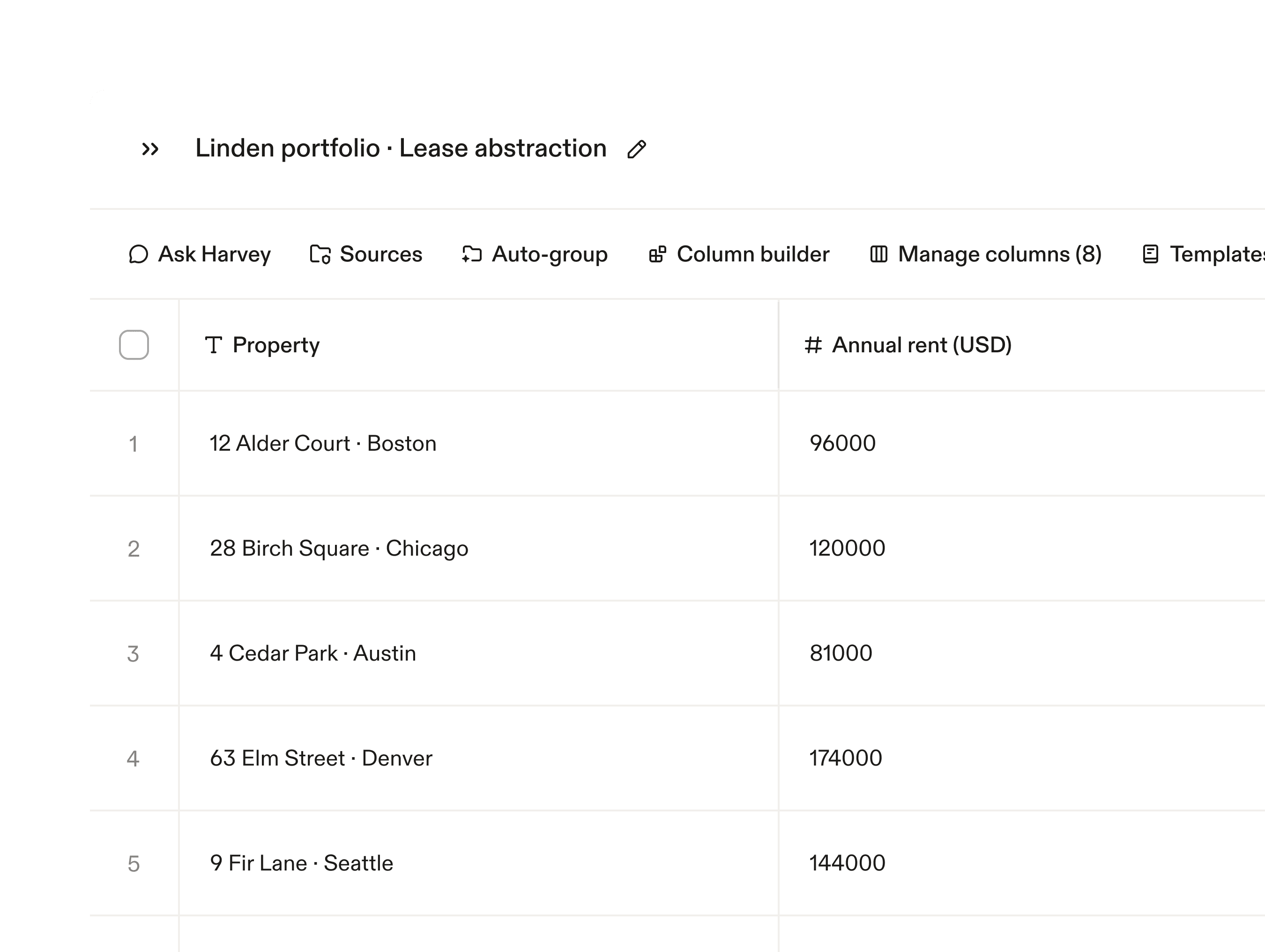
Extract each term from a form abstract from your leases, compare by property, and use the validated information to populate abstracts in bulk.