


Build and Update Review Tables With the Harvey Agent
Every action in a Review Table can now be delegated to the Harvey Agent in plain language, so the table can be reshaped, corrected, and routed as fast as the matter changes.
A litigation team finishes building a review table across hundreds of documents in a discovery production. The "privilege designation" column needs to be reclassified to Attorney-Client, Work Product, or Not Privileged, instead of a free-text answer. The Relativity export sitting in team members’ inboxes has custodian metadata that should map into the table as new columns. And the partner wants the flagged privilege rows routed to a specific reviewer before end of day.
Three straightforward changes. Together they take most of an afternoon.
Review Tables already make it easier to pull structured answers from large document sets. But in legal work, the table rarely stays static once those answers land. Productions arrive in waves, privilege calls get challenged, and a partner reframes the question at 4 p.m. The review changes because the matter changes.
With the release of Harvey II in August, the Harvey Agent can take on more complex work across the platform. In Review Tables, that means teams can adapt the table as the matter evolves by delegating any action to the agent in plain language, all from a single chat.
Change a Table by Asking in Plain Language
In the scenario we walked through earlier, each task the litigation team needed to run is now part of a single request.
First, the team asks Harvey to make privilege designation a classification and re-run that column, so a column that came back in the wrong shape is fixed in place rather than rebuilt.
Then, they attach the Relativity export and ask for the custodian metadata as new columns, so custodian and privilege sit in one table and can be filtered together.
Finally, they ask Harvey to flag the privileged rows in red and assign them to the reviewer, so the partner has a routed table before end of day.
These capabilities extend beyond privilege review. Teams can revise and rerun a column’s prompt, output format, or model without rebuilding it. They can also apply the same edit across hundreds of cells, add rows as new documents arrive, or remove rows based on specific criteria.
Data from an iManage load file, CSV, or web search can also be added directly to columns, keeping it in the review table instead of a separate spreadsheet as seen in this video.
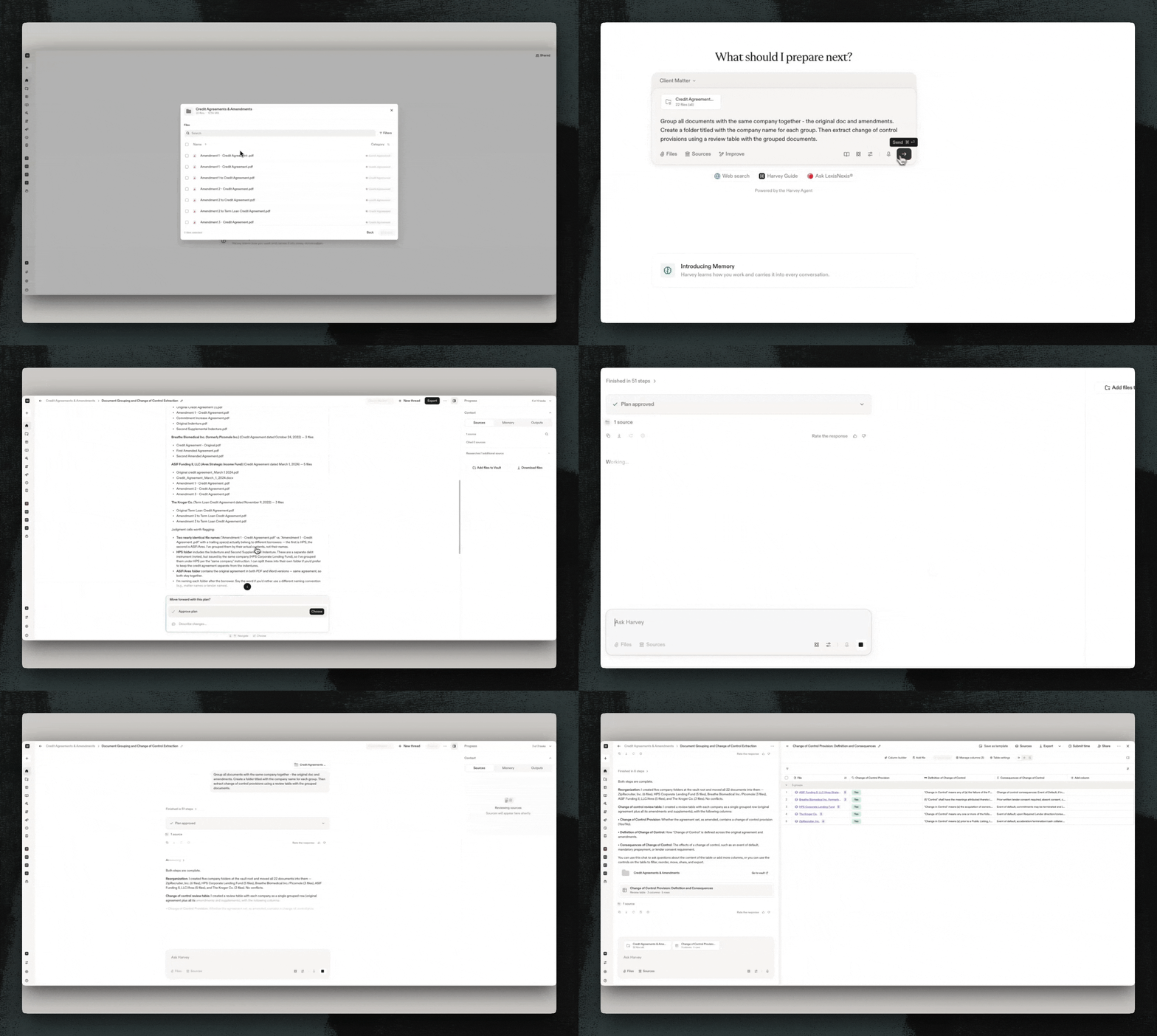
For some reviews, related documents need to be considered together rather than as separate rows. Ask Harvey to group email threads with their attachments or complaints with their exhibits, like in the video below. Harvey identifies these relationships using both the source files and the extracted table content, allowing reviewers to assess each complete thread or filing without linking the documents manually. You can see that happening in the following video.
Find a Review Table by Describing it to Harvey
Before Harvey can do any of the actions outlined above, you have to find the right Review Table. Harvey now lets you retrieve a review table through an open-ended query instead of searching for it manually.
Ask, "Find my most recent review table" or describe what the table covered, and the agent locates and attaches it so you can continue querying or editing. For teams with multiple active reviews across different matters, this removes a consistent friction point: you no longer need to remember where a table lives or navigate to it directly before asking a question about it.
From Review Table to Deliverable in One Chat
The most common workflow after building a Review Table is using it to create something else, like a memo, summary, or chart. That handoff previously required switching threads: finishing the table, then starting a new thread and referencing what you just built.
Now, you can ask Harvey to extract information across your documents into a review table, then immediately build a memo or visualization on top of it, all within the same chat.
Putting it to Work
These capabilities are built for the teams doing the highest-volume document work: M&A and diligence teams processing large contract portfolios, and litigation teams reviewing discovery productions.
The agent operates with the same permissions as the user. Existing Vault access controls and ethical walls apply exactly as they do today. A Review Table should be able to change as quickly as the matter does. With the Harvey Agent, teams can keep the review moving without rebuilding the work every time something changes.
Agentic Review Table actions are generally available now. Reach out to your Harvey representative to learn more, or request a demo below if you aren't yet a Harvey customer.


